- Published
- Updated
- Reading time
- 5 min
- Topic
- AI Marketing
On this page
- 01Why most beginners stall before they start
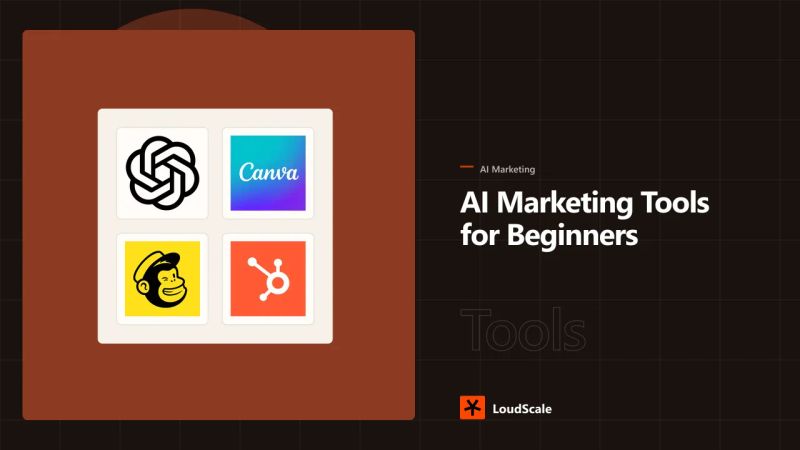
- 02The 5 AI marketing tools to start with in 2026
- 031. ChatGPT (or another general AI assistant) - your “thinking partner”
- 042. Canva Magic Studio - design without a designer
- 053. Mailchimp - email and basic automation
- 064. HubSpot Breeze - the all-in-one for when you’re ready to grow
- 075. Zapier - wire your tools together
- 08Side-by-side comparison: the 5 starter tools
- 09Your 30-day starter plan
- 10Week 1 - Pick your AI assistant and use it daily
- 11Week 2 - Add Canva and ship your first design
- 12Week 3 - Start a Mailchimp newsletter
- 13Week 4 - Connect with Zapier (optional but powerful)
- 14What NOT to do at the start
- 15Frequently asked questions
- 16What is the best AI marketing tool for absolute beginners in 2026?
- 17Do I need to pay for AI marketing tools as a beginner?
- 18What’s the safest way to use AI in marketing without risking customer data?
- 19How long does it take to see ROI from AI marketing tools?
- 20Should I learn prompt engineering before picking a tool?
- 21Final thought
- 22Sources
You opened a “best AI marketing tools” list, scrolled past 40 logos, and closed the tab. In 2025, HubSpot found that 91% of marketing leaders say their teams now use AI to do their jobs - but 42% of marketers say data privacy concerns have blocked their team from adopting new AI tools in the past year (HubSpot, State of AI for Marketers, June 2025). The gap isn’t interest. It’s overwhelm.
Here’s the thing: you don’t need 40 tools. You need five. Maybe three. And you need a clear order to try them so each one pays for itself before you add another. That’s what this guide is.
Why most beginners stall before they start
Most people never pick a tool because of the same three blockers.
- Too many choices. 35% of marketers say there are “too many AI tools that all do the same thing but don’t connect to one another” (HubSpot, 2025).
- Training fear. 39% say the time and training needed to learn new AI tools is a real barrier (HubSpot, 2025).
- Privacy doubt. 42% have held back new AI tools because of data privacy concerns (HubSpot, 2025).
None of these blockers go away by reading another listicle. They go away when you pick one tool, run one real task through it, and ship the output. This guide covers which tool to start with so the first win comes fast.
Pull quote: “After just one year, HubSpot customers acquire 129% more leads, close 36% more deals, and see a 37% improvement in ticket closure rates.” - HubSpot, Why Choose HubSpot
The 5 AI marketing tools to start with in 2026
1. ChatGPT (or another general AI assistant) - your “thinking partner”
AI assistant means a chat-based tool you can ask anything in plain English. The big three are ChatGPT by OpenAI, Gemini by Google, and Claude by Anthropic. In HubSpot’s 2025 survey, 39% of marketers use chatbot tools like ChatGPT, Gemini, or Copilot - making them the second most popular AI category after image generators.
Use it for: drafting emails, outlining blog posts, summarizing competitor pages, rewriting confusing copy, brainstorming subject lines. Anything where you stare at a blank page and need a first draft in 60 seconds.
Why first: This is the lowest-friction tool on the list. There’s nothing to install, no account to set up beyond a signup, and the free tiers are useful. You also build the prompting habit that every other AI tool will inherit from.
Watch out for: Only 4% of marketers use AI to write entire pieces for them (HubSpot, 2025). Treat it like a junior copywriter, not a publisher. Edit everything.
2. Canva Magic Studio - design without a designer
Magic Studio is Canva’s built-in suite of AI design tools. Canva itself says “Visual Suite for Everyone” (canva.com) and serves 220 million users (Wikipedia, Canva). The company hit US$4 billion in revenue in 2025 (Wikipedia, Canva) and keeps shipping AI features, including Visual Suite 2.0 in April 2025, which added Canva Sheets, Canva Code (a generative AI coding assistant), and a chatbot (The Verge, 2025).
Use it for: social media graphics, lead magnets, blog header images, simple short-form videos, and one-pagers. Magic Studio tools can generate an image from a text prompt, resize a design for every channel at once, and animate still images.
Why second: Most beginners’ biggest design bottleneck is “I need a post for Instagram, LinkedIn, and a story by tomorrow.” Canva’s drag-and-drop editor plus AI does that in 15 minutes instead of 90.
Watch out for: AI-generated images sometimes look off-brand on the second look. Always swap the prompt, the photo, or both before publishing.
3. Mailchimp - email and basic automation
Mailchimp is an Intuit-owned email marketing and automation platform founded in 2001 (Wikipedia, Mailchimp). It has more than 13 million users globally and sends over 600 million emails every two days (Wikipedia, Mailchimp). It’s the practical first step into real marketing automation, not just content.
Use it for: welcome sequences, weekly newsletters, abandoned cart emails, simple segmentation, and benchmarking your performance. Mailchimp’s free plan covers up to 500 contacts, which is plenty while you learn.
Why third: Email still has the best ROI of any digital channel, and email is the #1 channel where marketers use AI to create content - 50.77% of marketers use AI for email marketing (HubSpot, 2025). Pair Mailchimp with your ChatGPT habit and you’ve got a real newsletter engine.
Watch out for: The benchmarks are tighter than people think. Across all industries, the average open rate is 35.63% and the average click rate is 2.62% (Mailchimp Email Marketing Benchmarks, last updated December 2023). If your numbers are way off in either direction, investigate before you “optimize.”
4. HubSpot Breeze - the all-in-one for when you’re ready to grow
Breeze is HubSpot’s built-in AI platform. It bundles Breeze Assistant, Breeze Agents, and 100+ AI features across the HubSpot CRM (HubSpot, Artificial Intelligence). HubSpot says 75% of leaders whose organizations have invested in AI report a positive ROI (HubSpot, State of AI 2025). HubSpot’s own customer data shows 129% more leads, 36% more deals closed, and 37% better ticket closure rates after one year on the platform (HubSpot, Why Choose HubSpot).
Use it for: CRM, lead capture forms, email + landing page builder, and a single place to see who’s doing what. The free HubSpot CRM tier is generous, and you can add the AI Breeze features on top as you grow.
Why fourth: By now you’ve shipped a few emails, designed a few posts, and talked to AI a lot. You’re ready for a system that ties it all together. HubSpot also uses an outcomes-based pricing model for Breeze Agents: $0.50 per resolved customer conversation, $1.00 per qualified lead, and $0.10 per data agent answer (HubSpot, Artificial Intelligence pricing).
Watch out for: The free tier is great for the CRM. The AI Agents (Customer Agent, Prospecting Agent) sit in the Starter and Professional paid plans.
5. Zapier - wire your tools together
Zapier is a no-code automation platform that connects over 9,000 apps and has powered 593,138,971 AI tasks as of 2026 (Zapier, AI). You can think of it as glue: when X happens in app A, do Y in app B - without writing code. Zapier offers nearly 500 AI integrations (Zapier, AI tools guide, September 2025).
Use it for: “When someone fills out my Mailchimp form, send me a Slack message and add them to a Google Sheet.” Or: “When I publish a blog post, summarize it with AI and post to LinkedIn automatically.”
Why fifth (and last): You don’t need Zapier on day one. You need it the day you start to feel like you’re copying data between three tools every week. The free plan covers simple workflows; paid plans start at $19/month (HubSpot Blog, AI Marketing Tools list, March 2026).
Watch out for: It’s tempting to automate 14 things at once. Start with one annoying manual task, automate that, then move to the next.
Side-by-side comparison: the 5 starter tools
| Tool | Best for | Free tier? | Beginner-friendliness | When to add it |
|---|---|---|---|---|
| ChatGPT / Gemini / Claude | Drafting copy, ideation, research | Yes (all three) | Highest | Day 1 |
| Canva Magic Studio | Social graphics, lead magnets, short videos | Yes | High | Week 1–2 |
| Mailchimp | Email newsletters, basic automations | Yes (up to 500 contacts) | High | Week 2–3 |
| HubSpot Breeze | CRM, landing pages, AI agents, full funnel | Yes (CRM); AI Agents paid | Medium | Month 2+ |
| Zapier | Connecting tools, no-code automations | Yes (limited tasks) | Medium | When you feel repetitive work |
Your 30-day starter plan
Here is an exact path. Don’t skip ahead.
Week 1 - Pick your AI assistant and use it daily
- Day 1: Sign up for ChatGPT, Gemini, or Claude. Ask it to write a 200-word intro to your business in your voice.
- Day 2–3: Use it to draft your next three social captions. Edit each one before posting.
- Day 4–5: Use it to outline a blog post or a lead magnet. Write the final draft yourself.
- Day 6–7: Build a “prompt library” doc - 5 prompts that worked. Save them.
The goal: get comfortable enough that AI feels like a teammate, not a stranger.
Week 2 - Add Canva and ship your first design
- Day 8: Sign up for Canva. Pick a template that matches your brand colors.
- Day 9–10: Use Magic Studio to generate one image and one social post variation.
- Day 11–12: Resize the same design for Instagram, LinkedIn, and a story.
- Day 13–14: Batch-create one week of social posts in a single sitting.
The goal: prove that you can ship a week of visuals in an afternoon, not a week.
Week 3 - Start a Mailchimp newsletter
- Day 15: Import your existing list (or start fresh) into Mailchimp.
- Day 16–17: Set up a simple welcome email for new subscribers. Use AI to draft the copy.
- Day 18–19: Write and send your first real newsletter. Keep it under 400 words.
- Day 20–21: Check the open and click rate. Compare your numbers to Mailchimp’s industry benchmarks.
The goal: one email sent to real humans, with real metrics.
Week 4 - Connect with Zapier (optional but powerful)
- Day 22: Sign up for Zapier’s free plan. Browse the templates.
- Day 23–24: Build a simple “form-to-email” Zap using Mailchimp and a Google Sheet.
- Day 25–26: Add an AI step to summarize new leads or customer feedback.
- Day 27–28: Automate one social posting workflow.
- Day 29–30: Review what worked. Pick one more tool to explore in month two.
The goal: remove one annoying manual task from your week. Just one.
What NOT to do at the start
Skip them.
- Don’t subscribe to ten tools at once. You’ll pay for nine you don’t use. Add one per week max.
- Don’t replace your judgment with AI output. 46% of marketers are only “somewhat confident” they could spot inaccurate AI output (HubSpot, 2025). You should be skeptical of every claim the model makes.
- Don’t paste customer data into random AI tools. Privacy is the #1 blocker for 42% of marketers (HubSpot, 2025). Use enterprise tools with SOC 2 and data-processing agreements, not free web apps, for anything sensitive.
- Don’t chase “the perfect prompt” on day one. Prompting is a skill you build by doing. Your first ten prompts will be bad. That’s fine.
- Don’t skip measurement. 68% of marketing leaders report ROI on their AI investment (HubSpot, AI marketing) - but only because they tracked it. Pick two numbers and watch them.
Frequently asked questions
What is the best AI marketing tool for absolute beginners in 2026?
A general AI assistant like ChatGPT, Gemini, or Claude. It’s free, it’s the lowest learning curve, and it teaches you the prompting habits you’ll need for every other tool.
Do I need to pay for AI marketing tools as a beginner?
No. ChatGPT, Gemini, Claude, Canva, Mailchimp (up to 500 contacts), the HubSpot CRM, and the Zapier free plan all let you build real workflows without spending a dollar. You only need to pay when you outgrow a free tier’s limits.
What’s the safest way to use AI in marketing without risking customer data?
Stick to reputable platforms that publish their data-use policies. HubSpot, Mailchimp, Zapier, and Canva all publish security documentation and prohibit third-party model training on your inputs by default. Avoid pasting customer PII into free, unaudited web apps.
How long does it take to see ROI from AI marketing tools?
It depends on what you measure. Most marketers report saving one to two hours a day on creative tasks within the first month (HubSpot, 2025). Revenue ROI typically shows up in the second or third month once you’ve automated the right workflows.
Should I learn prompt engineering before picking a tool?
No. Learn it as you go. The best way to get better at prompting is to use one tool daily for a week. You’ll develop an instinct faster than any course can teach one.
Final thought
The 2026 marketing playbook isn’t “use every AI tool.” It’s “use three tools well, in the right order.” Start with a general AI assistant this week. Add Canva next week. Add Mailchimp the week after. By the time you hit day 30, you’ll have a real marketing engine, not a bookmark folder of tools you’ll never open.
Sources
- HubSpot - State of AI for Marketers Report (June 2025)
- HubSpot - The Top 36 AI Marketing Tools (March 2026)
- HubSpot - Breeze AI Tools
- HubSpot - Why Choose HubSpot
- Zapier - Zapier’s AI tools guide (September 2025)
- Zapier - Zapier AI page
- Mailchimp - Email Marketing Benchmarks (last updated December 2023)
- Wikipedia - Canva
- Wikipedia - Mailchimp
- The Verge - Canva is now in the coding and spreadsheet business (April 2025)
- Salesforce - Tenth Edition State of Marketing
Free tools
All tools- Website Growth GraderFree Website Growth Grader score before email.
- Landing Page GraderLanding page conversion grade free.
- AI Visibility ReadinessAI Visibility Readiness (not live mentions).
Diagnostics show a useful score before email. Explore LoudScale services when you want a full plan and implementation.

Written by the team
LoudScale Team
Growth Marketing Specialists
The LoudScale team shares practical strategies, research analysis, and evidence-backed guidance across search and AI visibility, content authority, B2B lead generation, lifecycle systems, analytics, and responsible AI.