TL;DR
- Google Analytics 4 does not track keyword rankings. Period. You link GA4 to Google Search Console, then view GSC reports inside GA4’s interface. The setup takes 5 minutes if your site is already verified in GSC.
- Once connected, roughly 47% of your keyword clicks stay hidden as “anonymized queries.” That’s from an Ahrefs analysis of 22 billion clicks across 887,534 GSC properties, and the number is climbing as AI-driven search behavior produces longer, rarer queries. [1]
- In December 2025, Ahrefs confirmed AI Overviews reduce organic click-through rate for position-one content by 58%. Seer Interactive’s April 2026 update found some recovery - from 1.3% in December 2025 to 2.4% in February 2026 - but that’s still a fraction of pre-AIO levels. [2] [3]
- Organic search traffic is down just 2.5% year-over-year across 40,000 major US sites, according to Graphite and Similarweb data - not the 25-60% panic numbers circulating online. The damage is concentrated on informational queries, mid-tier publishers, and sites not appearing in AI Overviews. [4]
- The smarter 2026 workflow: use GSC for rank position, layer on GA4’s engagement metrics to identify which rankings actually convert, track AI Overview presence as a separate visibility signal, and accept that keyword tracking is now a representative sample, not a complete ledger.
Google Analytics 4 doesn’t show keyword rankings. Not natively. Not buried in a sub-menu. Not anywhere.
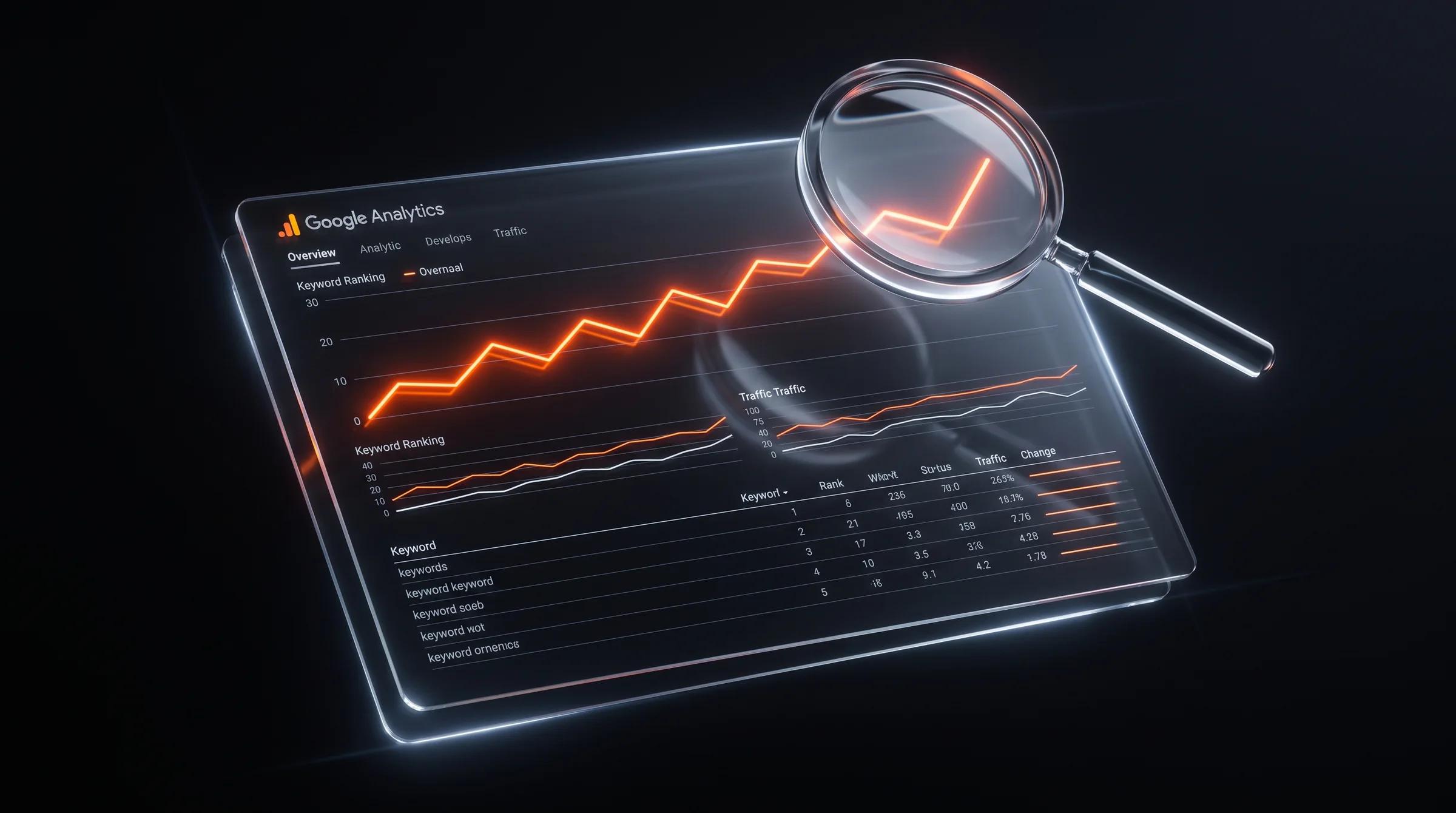
I know that sounds like I’m contradicting the title of this article. I’m not. What every guide about “checking keyword rankings in Google Analytics” is actually describing is a Google Search Console report that gets embedded inside GA4 after you manually link the two accounts. The data originates in Search Console, not Analytics. That distinction matters because GSC has structural gaps that determine whether the ranking data you see is directionally useful or actively misleading.
I’ll walk you through the setup. I’ll also show you the three data reliability problems that most how-to guides skip - problems that got measurably worse between late 2024 and mid-2026.
The Foundation: GA4 Doesn’t Talk to Google Search
GA4 is a behavioral analytics engine. It tracks what users do once they arrive: page views, scrolls, engagement time, conversions. It’s genuinely good at that.
It does not query Google’s search index. Keyword ranking data - impressions, clicks, average position - lives exclusively inside Google Search Console. Those two Google products run on separate data pipelines. GA4 logs an organic search session starting. It has no idea what query triggered it.
Google Search Console is where the query-level truth lives. When you “check keyword rankings in GA4,” you’re looking at a GSC report repackaged inside the Analytics interface. Understanding that removes a lot of confusion downstream.
“The integration with Search Console lets you analyze organic search related to your site. You can, for example, see where your site is ranked in search results.” - Google’s official GA4-GSC integration documentation
Step 1: Link Search Console to GA4
This is a one-time setup. If you’ve already done it, skip to Step 2.
-
Verify your site in Google Search Console. Go to search.google.com/search-console, add your property, and complete verification. The fastest path: use the Google Analytics verification method if GA4 is already on your site. A Domain property is strongly recommended over a URL-prefix property - it covers all subdomains and protocols automatically. [5]
-
Open GA4 Admin. Click the gear icon in the bottom left of GA4.
-
Locate “Search Console Links.” Under the Property column, scroll to “Product Links” and click “Search Console Links.”
-
Click “Link” and select your GSC property. GA4 displays verified Search Console properties tied to your Google account. Pick the right one.
-
Choose a web data stream. Select your primary website stream.
-
Confirm and wait. Data populates within 24 hours, sometimes 48. After that, new reports appear under Reports > Acquisition > Search Console.
One GA4 property links to exactly one GSC property. If you manage multiple sites, link each one individually. If you have a staging and production site in the same GA4 account, only link production.
For the full walkthrough directly from Google: Connect Search Console to Google Analytics.
Step 2: Find Your Keyword Data Inside GA4
Once linked, two reports deliver keyword visibility.
The Queries Report shows which search terms drove impressions and clicks. Path: Reports > Acquisition > Search Console > Queries. Four columns: Impressions, Clicks, CTR, and Average Position. That last column is your ranking proxy.
The Google Organic Search Traffic Report maps landing pages to both GSC metrics and GA4 behavioral data - engaged sessions, engagement rate, key events, conversions. Path: Reports > Acquisition > Search Console > Google Organic Search Traffic. This is where the two tools actually speak to each other, and it’s more useful than the Queries report alone for real SEO decisions.
You can also build a custom Exploration: Explore > Blank Exploration, pull in “Landing Page” and “First user Google organic search query” as dimensions, and layer in whatever GA4 metrics matter to your business.
As of December 2025, Google added an AI-powered configuration feature to Search Console’s Performance report. You can now use natural-language prompts to filter and compare data directly inside GSC. Helpful if you spend serious time in the tool. [6]
Also new as of late 2025: weekly and monthly chart views inside Search Console, branded vs. non-branded query filtering, and custom chart annotations. These are genuinely useful for reducing daily noise and tagging data changes to the actual SEO work you did. [7]
The Three Problems Nobody Warns You About
Most guides end at Step 2. “You’ve connected the tools. Here’s your keyword data. Go optimize.” If you stop there, you’re building strategy on incomplete inputs.
Problem 1: ~47% of Your Keyword Clicks Are Hidden
This is the biggest blind spot in keyword tracking, and it’s getting worse.
An Ahrefs study published in February 2026 analyzed 22 billion clicks across 887,534 GSC properties. In April 2025, 46.77% of website traffic came from “anonymized queries” - keywords Google withholds from Search Console if fewer than a few dozen users search them over a two- to three-month period. [1]
That means nearly half your organic search clicks arrive with zero keyword attribution. If your site skews toward long-tail, niche, or conversational queries, your anonymization rate is likely above the 47% average. The mode for anonymized queries across sites in the study fell between 45% and 80%, meaning many sites are missing far more than the headline number suggests.
This problem is accelerating. Google removed the word-count limit on search queries, so people now search with longer, more specific strings. Every longer query that doesn’t hit the anonymization threshold further shrinks the visible keyword pool. The Ahrefs team expects the anonymization percentage to “skyrocket” from here.
Bottom line: Your keyword strategy runs on roughly half the available signal. That doesn’t make GSC useless. It makes it a representative sample - useful for spotting patterns, unreliable as a complete ledger.
Problem 2: “Average Position” Is a Statistical Illusion
Average position in Search Console sounds precise. It is not.
GSC calculates average position as the mean topmost position across all impressions for a query. If your page appears at position 2 for 10 searches and position 18 for 100 searches, your reported average is around 16 - even though you ranked second for real people. The volume-weighted math creates a number that looks worse than your actual top-of-SERP performance. [8]
There’s also a localization problem. At low impression volumes, personalized and location-based results dominate the calculation. If you and three coworkers search for your brand from the same city, GSC might report position 1 even though users elsewhere see position 9. [9]
The practical fix: filter GSC data by query with a minimum of 50 impressions before trusting average position. Segment by device (desktop vs. mobile) and country - a blended global average hides performance differences that can swing position by 5+ spots. [10]
“Average position in GSC is directionally useful but often misleading at low impression volumes. Google tracks the highest position it had in the search result, then calculates the average across all recorded positions.” - Peter Rota, SEO consultant
Problem 3: AI Overviews Rewrote the Click Economics
This is the structural shift that makes 2026 keyword tracking fundamentally different from previous years.
In February 2026, Ahrefs published an update to their AI Overviews study using December 2025 data. Their finding: the presence of an AI Overview reduces organic CTR for the top-ranking page by 58%. For position 1 specifically, forecasted CTR dropped from 3.7% (without AIO) to 1.6% (with AIO). Every ranking position from 1 through 10 saw significant click erosion. [2]
Seer Interactive’s April 2026 update - analyzing 53 brands, 5.47 million queries, and 2.43 billion impressions - showed some CTR recovery. Organic CTR on AI Overview queries climbed from 1.3% in December 2025 to 2.4% in February 2026. That’s an 85% bounce, but still a fraction of the ~3.3% CTR on queries without AI Overviews. Sites cited inside AI Overviews averaged 2.1% CTR; uncited sites averaged 0.9%. Getting cited is now the difference between some visibility and near-invisibility on AIO queries. [3]
On a broader scale, the picture is less apocalyptic than headlines suggest. Graphite’s analysis of 40,000+ major US sites using Similarweb data found organic search traffic down just 2.5% year-over-year, not the 25-60% drops often quoted in industry commentary. Large sites (top 10 by traffic) actually grew organic by 1.6%. The damage concentrated on mid-tier informational publishers. AI Overviews now appear on roughly 30% of SERPs, primarily informational - commercial and transactional queries are far less affected. [4]
Google I/O 2026 in May introduced another variable: AI agents inside Search. Users can now complete multi-step tasks - research, booking, purchasing - directly within the search interface without clicking through to websites. Google also announced WebMCP, a protocol that lets websites expose tool-like interfaces for AI agents to interact with. [11]
The zero-click environment keeps expanding. Digital Applied’s 2026 data shows 64.82% of all Google searches now end without a click, up from ~50% in 2019. Mobile zero-click rate: 77.2%. Desktop: 50.6%. [12]
Step 3: Use GA4’s Engagement Data to Prioritize
This is where GA4 earns its place in your keyword workflow. GSC tells you what you rank for. GA4 tells you whether those rankings produce business outcomes.
Go to Reports > Acquisition > Search Console > Google Organic Search Traffic. You’ll see landing pages with both search metrics (impressions, clicks) and behavioral metrics (engaged sessions, engagement rate, conversions).
The diagnostic question for every major organic landing page: Is the engagement rate from organic traffic above or below your site average?
Most sites see an average GA4 engagement rate of 52-55%, with organic traffic typically scoring above that because search visitors have intent. [13]
If an organic landing page sits below 40% engagement, that signals one of two things: the keyword is sending the wrong audience, or the page content doesn’t match what searchers expected. A page ranking position 6 with 68% engagement is worth more SEO investment than a page ranking position 2 with 31% engagement. The latter is burning high-value rankings it can’t monetize.
The Combined Workflow
Stop treating GSC and GA4 as two separate dashboards. They’re two views of the same funnel.
| Step | Tool | What You’re Scanning For |
|---|---|---|
| 1. Find ranked keywords | GSC Queries report | Queries with 50+ impressions, positions 4-20 (striking distance) |
| 2. Spot anonymization blind spots | Ahrefs or API-based GSC export | Keywords driving traffic that don’t appear in the GSC UI |
| 3. Check landing page behavior | GA4 Organic Traffic report | Engagement rate, conversions per organic session |
| 4. Cross-reference CTR | GSC Queries report | Actual CTR vs. expected CTR by position, accounting for AI Overviews |
| 5. Flag priority pages | Both tools | Solid rankings + poor GA4 engagement = content needs work |
| 6. Check AI Overview presence | Site Explorer (Ahrefs) or SE Ranking AI Tracker | Which rankings trigger AI Overviews; whether your site gets cited |
A few operational reminders:
- GSC keeps 16 months of data. If you need year-over-year comparisons beyond that window, export to BigQuery or download CSVs regularly. [14]
- The GSC UI limits query display to 1,000 rows. The Search Console API can export up to 50,000 rows per day per search type per property. For sites with more than a few hundred pages, the API is the only way to get the full picture without paying for a tool. [15]
- Branded and non-branded queries should be analyzed separately. Google’s branded filter helps, but the classification is AI-generated and can mislabel queries - spot-check it before building reports on the split.
- Third-party rank tracking tools (Semrush, Ahrefs, SE Ranking, AccuRanker) have adapted to the post-num=100 landscape and now offer AI Overview presence tracking alongside traditional SERP position monitoring. These are worth the investment once you outgrow the free stack. [16]
The Bigger Picture: Rankings Are Becoming One Signal Among Many
Keyword position tracking is still worth doing. But it’s no longer the primary scoreboard.
In 2026, three things matter more than your raw position number:
-
Are you cited in AI Overviews? Seer Interactive’s data shows cited sites get 2.3x the CTR of uncited sites on the same SERP. If your page sits at position 1 but an AI Overview sourced from your competitor’s content occupies the top of the page, your ranking is nearly invisible.
-
Does the organic traffic that arrives actually engage and convert? GA4’s engagement rate, session duration, and conversion metrics tell you which rankings drive real value - not just vanity clicks.
-
Are you building brand visibility outside traditional search? The zero-click era rewards brand recall. Users who read your name in an AI-generated summary may search for you directly later. Branded search volume is becoming a leading indicator of SEO success in a world where informational query clicks are disappearing.
If you want a team that handles GSC-GA4 integration, interprets the data gaps honestly, and builds keyword strategy that accounts for AI-driven search behavior, LoudScale works with brands to do exactly that.
Also worth your time: our guides on Google Search Console keyword tracking, how to improve organic CTR in the AI era, and our 2026 SEO strategy framework.
Frequently Asked Questions About Checking Keyword Rankings in Google Analytics
Can Google Analytics 4 show keyword rankings without Google Search Console?
No. GA4 has zero native access to keyword ranking data. You must link GA4 to Google Search Console through the Admin panel. Once linked, GSC data displays inside GA4’s Acquisition reports, but the underlying data source is always Search Console, not Analytics.
Why are so many keywords missing from my GA4 keyword reports?
Two separate mechanisms cause this. First, GA4 itself doesn’t receive the search query field - the data gap exists at the pipeline level, not the report level. Second, Google Search Console anonymizes roughly 47% of keyword clicks as of April 2025, according to Ahrefs’ analysis of 22 billion clicks. [1] The anonymization threshold removes any query not searched by more than a few dozen users over a two- to three-month period. Longer, more specific queries are disproportionately affected.
Is Google Search Console’s “average position” metric reliable?
Directionally, yes. Precisely, no - especially at low impression volumes. Average position is a mathematical mean across all impressions for a query. A small number of personalized or localized impressions can swing the number dramatically. Filter for a minimum of 50 impressions per query and segment by device and country before drawing conclusions. [9] [10]
How much do AI Overviews actually reduce organic traffic?
As of December 2025, AI Overviews reduce position-one CTR by 58%, according to Ahrefs. [2] However, broader traffic data from Graphite shows total US organic search traffic down only 2.5% year-over-year across 40,000 sites. [4] The impact varies dramatically by query type: informational queries take the hardest hit while transactional and commercial queries are relatively protected. Seer Interactive’s April 2026 data shows some CTR recovery since December 2025, from 1.3% to 2.4%, suggesting the downward trend may be stabilizing. [3]
How far back does Google Search Console keyword data go?
Sixteen months. After that window, performance data is deleted and unrecoverable from the interface. To retain keyword ranking history beyond 16 months, export to BigQuery using Google’s bulk data export, or download regular CSV backups. [14]
Why did my GSC impressions drop sharply in September 2025?
In mid-September 2025, Google deprecated the&num=100 URL parameter that SEO tools used to pull 100 search results per request. This eliminated large volumes of bot traffic that had been inflating impression data. Many sites saw impressions drop not because rankings changed but because the measurement system changed. If you compare current data to pre-September 2025 baselines, you’re comparing two different measurement frameworks. [17]
Sources
-
Ahrefs - “Anonymized Queries Make Up Nearly Half of Google Search Console Traffic” (February 2026): https://ahrefs.com/blog/gsc-anonymized-queries/
-
Ahrefs - “Update: AI Overviews Reduce Clicks by 58%” (February 2026): https://ahrefs.com/blog/ai-overviews-reduce-clicks-update/
-
Search Engine Land - “Google AI Overviews CTR shows early signs of recovery: Study” (April 2026): https://searchengineland.com/google-ai-overviews-ctr-recovery-study-475566
-
Search Engine Land - “Organic search traffic is down 2.5% YoY, new data shows” (January 2026): https://searchengineland.com/organic-search-traffic-down-yoy-data-467748
-
Google Search Central - “Verify your site ownership” (2026): https://support.google.com/webmasters/answer/9008080
-
Google Search Central Blog - “Streamline your Search Console analysis with the new AI-powered configuration” (December 2025): https://developers.google.com/search/blog/2025/12/ai-powered-configuration
-
Google Search Central Blog - “Introducing weekly and monthly views in Search Console” (December 2025): https://developers.google.com/search/blog/2025/12/weekly-monthly-views-search-console
-
Nobs Marketplace - “How to Read Google Search Console Metrics in 2026” (April 2026): https://nobsmarketplace.com/blog/how-to-read-search-console-metrics-2026
-
SEOTesting - “What Does Average Position Mean in Google Search Console?”: https://seotesting.com/google-search-console/average-position/
-
The Ocean Marketing - “Why Your Google Search Console Average Position Is Misleading” (February 2026): https://theoceanmarketing.com/blog/why-google-search-console-average-position-isnt-always-reliable/
-
Google Blog - “A new era for AI Search” (May 2026): https://blog.google/products-and-platforms/products/search/search-io-2026/
-
Digital Applied - “Zero-Click Search Statistics 2026: Complete Data Guide” (April 2026): https://www.digitalapplied.com/blog/zero-click-search-statistics-2026-complete-data
-
Digital Applied - “Bounce Rate Benchmarks 2026: Industry and Channel Data” (April 2026): https://www.digitalapplied.com/blog/bounce-rate-benchmarks-2026-industry-channel-data
-
SEO Stack - “Why does Google Search Console have a 16 month data limit?” (April 2026): https://www.seo-stack.io/blog/why-does-google-search-console-have-a-16-month-data-limit
-
Google Search Central - “Search Console API”: https://support.google.com/webmasters/answer/12919192
-
Yotpo - “15 Best Keyword Tracking Tools for 2026: AI & Pixel Rank” (March 2026): https://www.yotpo.com/blog/best-keyword-tracking-tools/
-
Zeo - “The Impact of &num=100 Parameter Removal on SEO Reporting” (October 2025): https://zeo.org/resources/blog/the-impact-of-num-100-parameter-removal-on-seo-reporting
- Website Growth GraderFlagship free growth grade score before email.
- SEO Checker40+ live HTML checks on any public URL.
- AI Visibility ReadinessAnswer-engine readiness and extractability.
Diagnostics show a useful score before email. Explore LoudScale services when you want a full plan and implementation.

LoudScale Team
Growth Marketing Specialists
The LoudScale team shares practical strategies and experiments across search and AI visibility, content authority, B2B lead generation, lifecycle systems, analytics, and responsible AI.